


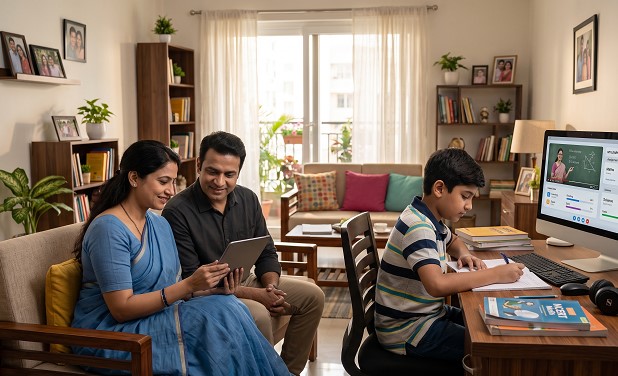
Every parent is familiar with that point in time when he or she gives the kid his phone for ten minutes and then checks back an hour later only to see that the child has gotten lost in something that hasn’t been approved by the parent.
Parental control applications won’t be able to substitute the talks on Internet safety, yet they provide a practical tool for parents to know what is going on without being a hovering figure near their children all day long.
Why Indian Parents Need a Dedicated Parental Control App
Today, smartphones and affordable data make the whole Internet available to your kids. The built-in features such as Apple’s Screen Time and Google’s Family Link can help you, yet these tools do not solve some important problems:
• They do not monitor social media conversations or messaging apps in depth
• They cannot flag harmful or age-inappropriate content in real time
• A determined child can often find workarounds
• They are not designed around India-specific content, languages, or usage patterns
Third-party parental control apps close these gaps and Apni Prerna goes even further by being built specifically for Indian families.
The Apps Worth Knowing About-
Apni Prerna: Best for Indian Families
Apni Prerna is the parental control app built specifically for Indian families. While most of the global apps are designed for Western markets, Apni Prerna is built to understand the Indian digital ecosystem like regional languages, local platforms, and the unique online risks Indian children face.
- Standout Feature: AI-driven content filtering to identify any inappropriate content in any Indian regional language besides English.
- Real-Time Monitoring: Monitor what your child dives through on the Internet and on all social media sites including YouTube, messaging apps, and more in real time.
- Smart Screen Time: Set different daily limits for school days, weekends, and exam everything from one parent dashboard.
- Live Location Tracking: GPS-based live location tracking and Geo-fencing features that provide you the exact location of your child.
- Best For: Indian parents looking for a total kid safety solution tailored to their culture and language.
Bark: Best for Social Media and Message Monitoring
Bark is created particularly for those parents who prefer to monitor the content that their kids are viewing as opposed to just restricting their access to websites.
- Standout Feature: The AI scans your kid’s emails, social media profiles, and even photographs, only alerting you if any potential harm or anything dangerous shows up.
- Family Safety: With a single subscription, you can monitor any number of devices as you wish; it is therefore best for families with more than one child.
- Best For: Parents with teenage kids who spend time on social networks.
Norton Family: Best for Web Filtering
Norton is a name most Indian families already trust for device security, and their parenting app carries that same reliability.
- Standout Feature: Blocks content across more than 45 categories including adult content, hate speech, and drug related sites.
- Device Control: The Instant Lock feature allows parents to freeze their child’s device remotely at any time. It’s most useful for homework hours and bedtime.
- Best For: Parents who want strong content filtering across all devices.
Kaspersky Safe Kids: Best for Teens and Online Safety
For many years, Kaspersky has been a well-known brand name in the field of cybersecurity. Their parental control application carries on this tradition of reliability.
- Standout Feature: Real time alerts are sent to parents the moment a child tries to access blocked or inappropriate content across any device.
- Family Safety: Includes web filtering, timed Internet use, location tracking, and application controls all through one interface, thus making it one of the most comprehensive choices on this list.
- Best For: Parents who want an all round safety net across multiple devices without juggling different apps.
Qustodio: Best for Screen Time and Location Tracking
If screen time management and knowing where your child is are the two things keeping you up at night, Qustodio is worth a serious look.
- Standout Feature: Customised daily screen time allowances that change depending on the day like school days, weekends, and study hours can all have different limits
- Location and Safety: Detailed and reliable location tracking, plus a panic button that allows children to send an instant alert to trusted contacts if they ever feel unsafe
- Best For: Parents of younger children who want precise control over screen time and location.
Built In Tools Worth Knowing
Before spending on a third party app, it is worth trying what is already on your child’s device:
Apple Screen Time, It’s built into every iPhone and iPad which allows parents to set app limits, restrict content, schedule downtime, and manage settings remotely through Family Sharing.
Google Family Link, A free app for Android devices that indulges in screen time limits, app approvals, content filters, and live location tracking. For younger children on Android, it is a solid starting point that costs nothing.
Both tools are genuinely useful and more capable than most parents realise. If your child is young and their device use is relatively straightforward, starting here before investing in a paid app makes sense.
Conclusion
Parental control applications are not about questioning. It’s all about being aware in an environment that has changed faster than anyone anticipated. The internet is huge and is for everyone, and children are diving into it much younger than ever before
The ideal parental control application is just the program that works well with your family, with your child’s age, technology, and parenting values. Start simple, evolve together, and never forget that no amount of software will ever take the place of having a talk with your child about staying online.
Ready to get started?
Download Apni Prerna today, India’s most trusted parental control app. Setup takes less than 5 minutes and gives you complete peace of mind.
1 thought on “Top 5 Parental Control Apps in India (2025)”
As a parent, I appreciate the focus on creating a safe digital environment instead of relying only on restrictions.